
Understanding Latency and Throughput
Deep dive into the two most important metrics in HTTP load testing: latency and throughput. Learn how they relate to each other and what they mean for your application's performance.
Two numbers dominate every performance conversation. Latency and throughput. People throw these terms around constantly, sometimes interchangeably, which is wrong. They measure different things. And understanding how they relate to each other — that's where it gets interesting.
Latency is about time
When someone clicks a button and waits for something to happen, they're experiencing latency. It's the delay. The gap between "I asked for this" and "I got it."
For HTTP requests, latency includes everything. The time for your request to travel across the network. The time your server spends thinking. The time to send the response back. Queue time if your server is busy. Serialization overhead. All of it, added together.
Here's the thing though. When people talk about latency, they usually mean average latency. And average latency is a liar.
Picture this: you have 100 requests. 99 of them complete in 10 milliseconds. One takes 2 seconds. Your average? About 30ms. Looks fine on a dashboard. But tell that to the user who waited 2 seconds. They don't care about your average.
This is why percentiles exist. The p50 (median) tells you what half your users experience. The p95 tells you what 95% experience. The p99 catches the really unlucky ones. If your p99 is 2 seconds, that means 1 in 100 requests is painfully slow. That's not great. That might be thousands of frustrated users per day.
Throughput is about volume
While latency asks "how long," throughput asks "how many." Requests per second. Transactions per minute. Whatever unit makes sense for your system.
High throughput means your system can handle lots of work. But here's where people get confused — high throughput doesn't automatically mean low latency. You can have a system that processes 10,000 requests per second where each request takes 500ms. That's high throughput, high latency. Users are waiting half a second for responses, but you're handling a ton of them.
What affects throughput? Pretty much everything. CPU power. Memory. How fast your database responds. Network bandwidth. Connection limits. External API dependencies. Any of these can become a bottleneck.
They're connected. Inversely.
Here's the relationship that matters: as you push throughput higher, latency tends to increase. Not linearly. It's more like a hockey stick.
At low load, latency stays flat. Your server has plenty of capacity, requests get handled immediately. You increase load a bit, latency barely moves. Everything's fine.
Then you hit a threshold. Maybe 70% capacity, maybe 80%. Suddenly requests start queuing. They're waiting for resources. Latency creeps up. You push harder, latency spikes. That flat line becomes a steep curve pointing straight up.
There's a formula for this, actually. Little's Law. It says:
Concurrent Requests = Throughput × Latency
Simple math, profound implications. If your latency is 100ms and you want 1000 requests per second, you need 100 concurrent connections. If latency doubles to 200ms, you now need 200 concurrent connections to maintain the same throughput. And if your system can only handle 150 connections? Your throughput drops. You can't hit 1000 RPS anymore.
A practical example
Say you're running an API. Under normal conditions:
- Average latency sits around 50ms
- p99 latency is 200ms
- You can handle 1000 requests per second
Using Little's Law, at average latency you need 50 concurrent connections (1000 × 0.05). But for your slowest requests, you'd need 200 connections to maintain throughput.
Now imagine traffic doubles. Your server gets busier. Latency increases — let's say average goes to 100ms. To maintain 2000 RPS, you'd need 200 concurrent connections. But if latency keeps climbing because the server is stressed, you need even more connections. At some point, you hit limits. Connection pools max out. Threads get exhausted. The whole thing starts falling apart.
This is why capacity planning matters. You can't just look at throughput in isolation.
Making things faster
Reducing latency and increasing throughput often require different approaches. Sometimes they overlap. Sometimes they don't.
For latency, you're fighting time. Caching helps — if you can serve from memory instead of hitting the database, that's milliseconds saved. Connection pooling eliminates the overhead of establishing new connections. Moving computation closer to users (CDNs, edge computing) cuts network time. And sometimes you just need to optimize your code. That O(n²) algorithm hiding in your hot path? Yeah, fix that.
For throughput, you're fighting capacity. Horizontal scaling adds more servers to handle more requests. Load balancing distributes traffic so no single server gets overwhelmed. Database optimization — indexes, query tuning, read replicas — keeps your data layer from becoming the bottleneck. Async processing moves slow work out of the request path entirely.
But here's the trick. Improving one often helps the other. Faster responses mean connections free up sooner, which means you can handle more concurrent requests, which means higher throughput. It's a virtuous cycle. When it works.
What to watch in production
Set up alerts for both metrics. But be smart about it.
For latency, alert on p95 or p99, not average. You want to know when your slowest requests are getting too slow, not when your average drifts a bit.
For throughput, watch for drops. If you normally handle 5000 RPS and suddenly you're at 3000, something's wrong. Maybe a downstream service is slow. Maybe you're hitting resource limits. Either way, you want to know.
And watch them together. If latency spikes while throughput drops, you're probably overloaded. If latency spikes but throughput stays stable, you might have a different problem — maybe a specific endpoint is slow, or a particular type of request is causing issues.
Testing this stuff
When you run load tests with Zoyla, you get both metrics right there in the app. Set your endpoint, configure the number of requests and concurrency level, maybe set a duration if you want a sustained test. Hit run.
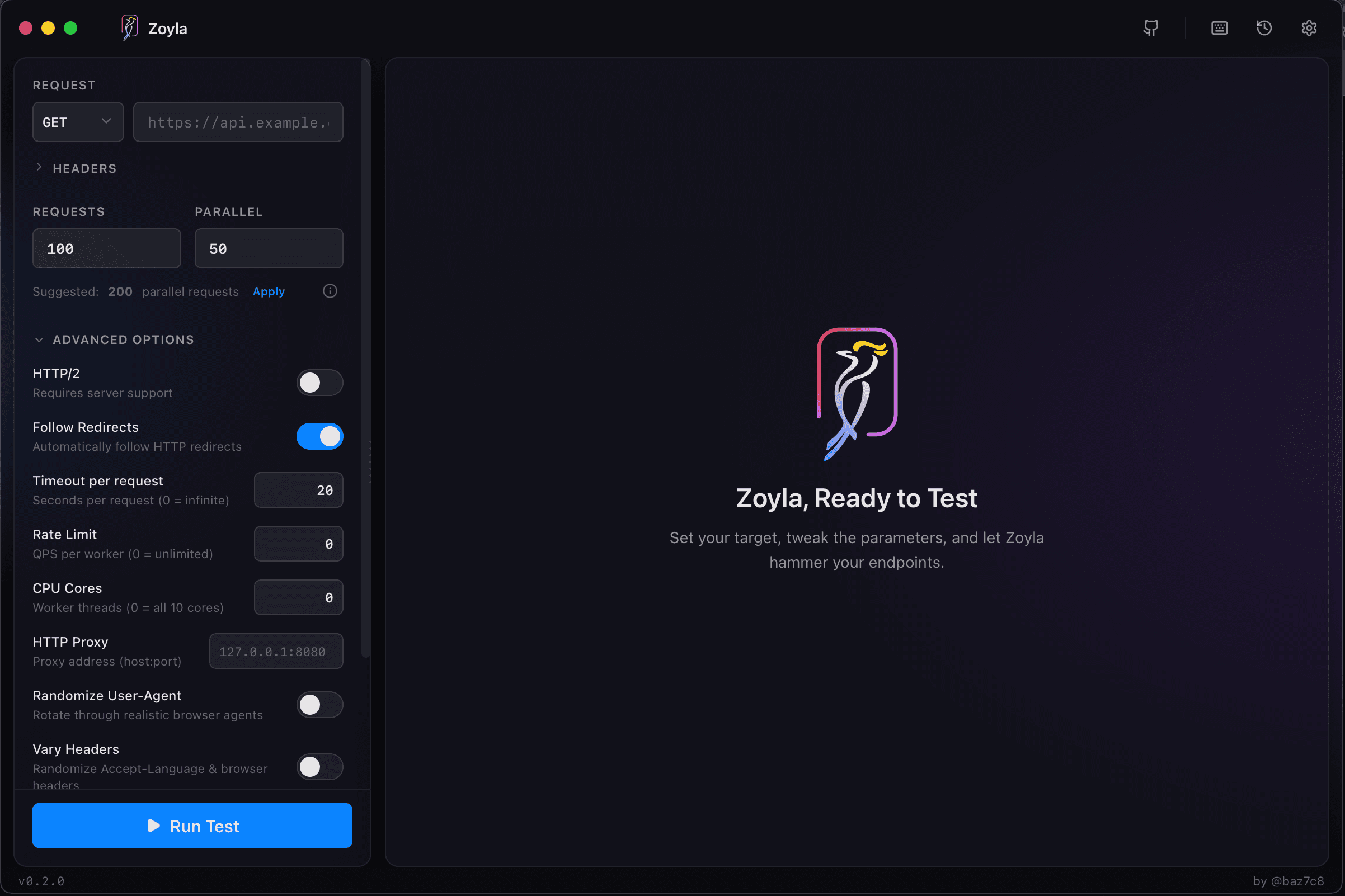
The results show latency distribution — min, average, median, p95, p99, max. All laid out visually so you can spot patterns. You see requests per second, error rates broken down by status code. Everything you need to understand how your system behaves under pressure, without digging through log files or parsing terminal output.
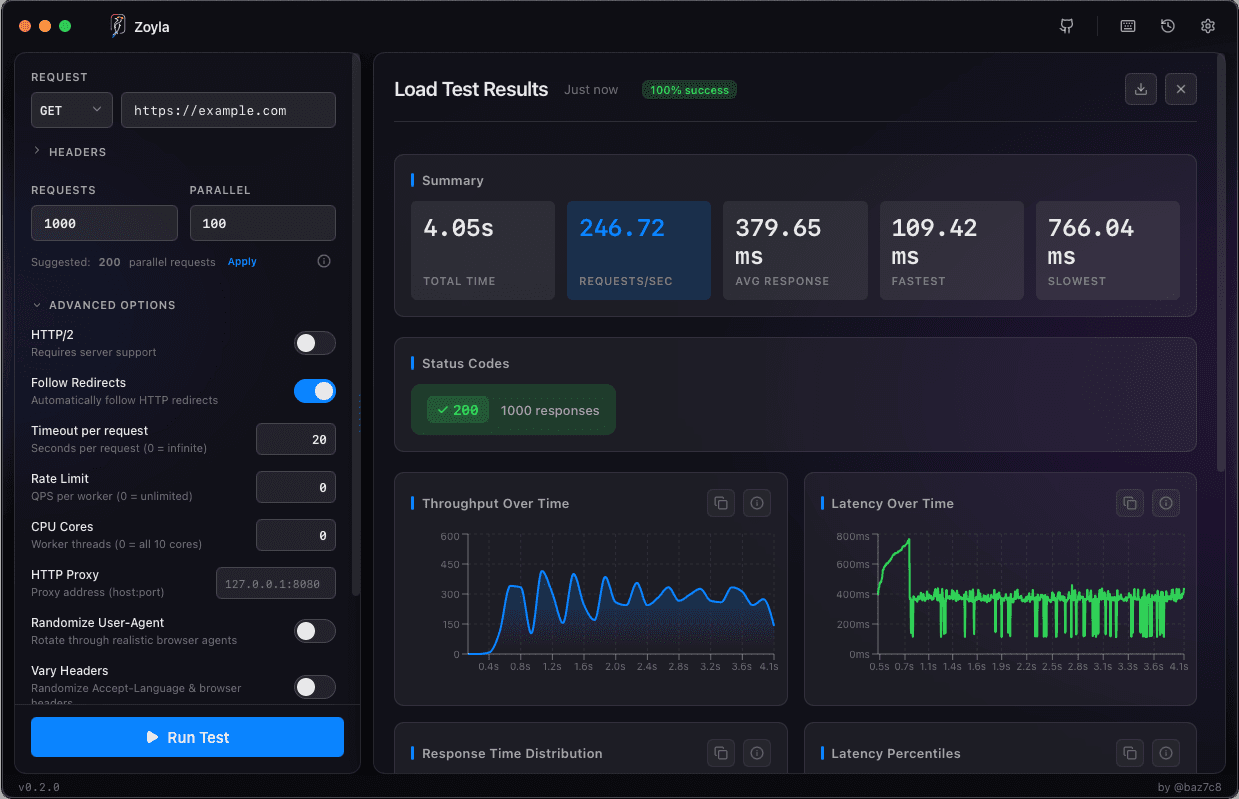
Run tests at different concurrency levels. Start at 10, then 50, then 100, then 200. Watch the latency numbers change. You'll see that hockey stick pattern emerge. Find where the curve bends — that's your system's comfortable capacity. Push past it and you're in the danger zone.
Latency and throughput. Two numbers. But understanding them — really understanding how they interact, where they break down, what they mean for your users — that's the foundation of performance work. Everything else builds on this.