
API Load Testing: What You Need to Know
Everything you need to understand about load testing APIs — from REST endpoints to authentication handling and realistic test scenarios.
APIs are different. When you're load testing a website, you're often dealing with pages, assets, the whole rendering pipeline. But APIs are leaner. JSON in, JSON out. Which makes them both easier and trickier to test properly.
Easier because the requests are straightforward. Trickier because the things that break are often subtle.
What you're actually testing
When you hit an API endpoint under load, you're testing the whole chain. The web server handling connections. The application logic processing requests. The database queries running underneath. Any external services you're calling. Authentication layers. Rate limiting. Caching.
Any of these can become the bottleneck. And until you test, you don't really know which one it'll be.
If you're new to the general concept, HTTP load testing explained covers the fundamentals.
Authentication matters
Most APIs require some form of authentication. Tokens, API keys, session cookies. Your load test needs to handle this correctly or you're just testing your auth rejection flow a thousand times. For a deeper dive, see load testing login and auth endpoints.
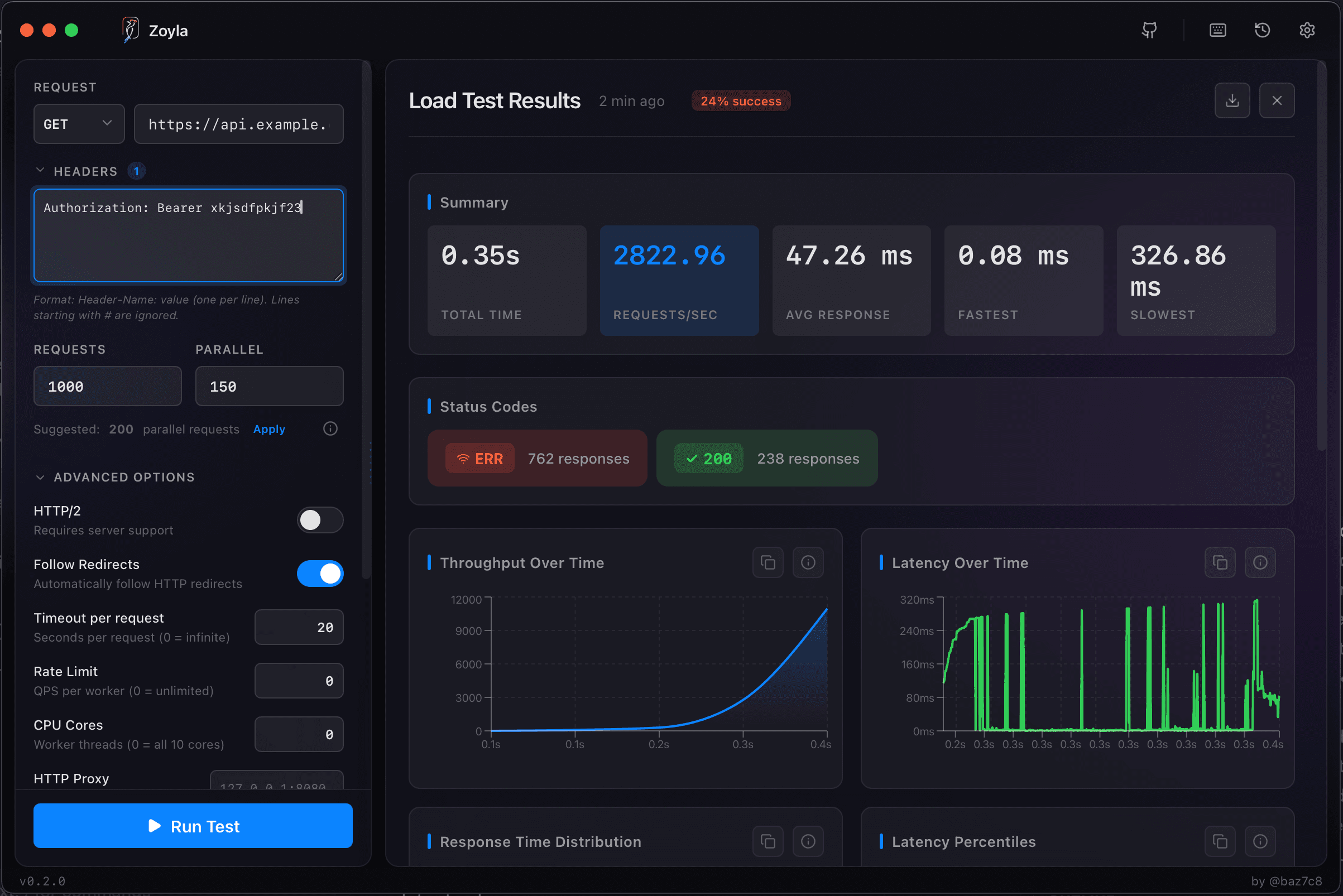
For token-based auth, you'll typically generate a valid token beforehand and include it in your test requests. Some tools let you parameterize this. With Zoyla, you set up your headers once and they apply to every request in the test.
Realistic payloads
A GET request to /users is simple. But what about POST requests that create data? PUT requests that update it? These need realistic payloads. If you're testing with the same tiny JSON body every time, you're not seeing how your system handles varied input sizes.
Think about what real traffic looks like. If users typically send 2KB payloads but occasionally send 50KB, your test should reflect that distribution. The realistic load patterns guide covers this in more detail.
The metrics that matter
Response time tells you how fast your API responds. But look at the percentiles, not just the average. The guide on latency percentiles explains why averages lie.
Throughput shows how many requests per second you can handle. Error rate shows when things start failing. Status code distribution tells you how they're failing — are you getting 500s (server errors) or 429s (rate limiting)?
Common gotchas
Testing against a database with 100 rows when production has 10 million. That's a classic mistake. Your queries will be fast because there's nothing to query.
Not accounting for caching. First request is slow, next 99 are instant because they're cached. Your results look great but don't reflect cold-cache reality.
Ignoring rate limits. If your API has rate limiting, your load test will hit it. That's actually useful information, but you need to know it's happening.
For more pitfalls to avoid, check out load testing mistakes that waste your time.
Getting started
Pick your most critical endpoint. Usually that's authentication or your main data retrieval path. Set up a test with realistic headers and payloads. Start with low concurrency — 10 or 20 simultaneous requests. Look at the results. Then gradually increase until you find the limits.
Zoyla makes this straightforward. Configure your endpoint, set your parameters, run the test. Results appear in seconds, all visualized so you can spot patterns immediately.
That's API load testing. Same principles as any load testing, just with attention to the details that matter for APIs specifically. For a more rigorous approach, check out how to benchmark your REST API properly.
Ready to test your API? Download Zoyla and get results in seconds.