
How to Benchmark Your REST API Properly
A practical guide to benchmarking REST APIs — methodology, metrics, and common mistakes that lead to misleading results.
Benchmarking sounds simple. Hit your API a bunch of times, measure how long it takes, done. But getting meaningful numbers is trickier than it looks. Bad benchmarks are worse than no benchmarks because they give you false confidence. For the fundamentals, see API load testing basics.
Here's how to do it right.
What you're actually measuring
A benchmark answers a specific question: how does this API perform under these conditions? The key word is "specific." A benchmark that tries to measure everything measures nothing useful.
Decide what you want to know. Maximum throughput? Response time at expected load? Behavior under stress? Each question requires a different approach.
For throughput, you push as hard as possible and see how many requests per second you can sustain. For response time, you run at realistic load and measure latency distribution. For stress behavior, you ramp up until things break. Different tests, different insights.
The throughput vs latency tradeoff is fundamental here. You can't maximize both simultaneously.
The warm-up problem
Cold systems behave differently than warm ones. The first requests hit empty caches, trigger JIT compilation, establish database connections. They're not representative of steady-state performance.
Always include a warm-up period. Run traffic for a minute or two before you start measuring. Throw away those initial results. Your benchmark should capture normal operation, not startup behavior.
How much warm-up depends on your system. JVM applications need more than Go applications. Systems with heavy caching need more than stateless ones. When in doubt, warm up longer.
Consistent environment
Benchmarks are only comparable if the environment is consistent. That means same hardware, same data, same configuration, same network conditions.
Testing against a local database with 100 rows tells you nothing about production performance with 10 million rows. Testing on your laptop tells you nothing about how the production servers perform. Testing during off-hours tells you nothing about performance when other services are competing for resources.
Control your variables. Document your environment. If you can't reproduce the conditions, you can't trust the comparison. The load testing staging environment guide covers environment setup in detail.
The metrics that matter
Raw numbers are just the start. You need to understand their distribution.
Average response time is almost useless by itself. It hides the outliers. The percentiles guide explains why p95 and p99 matter more than averages.
Throughput needs context. 1000 requests per second sounds good until you learn it's with 50% errors. Always report throughput alongside error rate.
Resource utilization tells you how much headroom you have. If you're hitting 1000 RPS at 90% CPU, you're near the limit. If you're hitting 1000 RPS at 30% CPU, you have room to grow.
Running the benchmark
Set up your test with realistic parameters. If your API requires authentication, include proper tokens. If it expects certain headers, set them. If payloads vary in size, vary your test payloads.
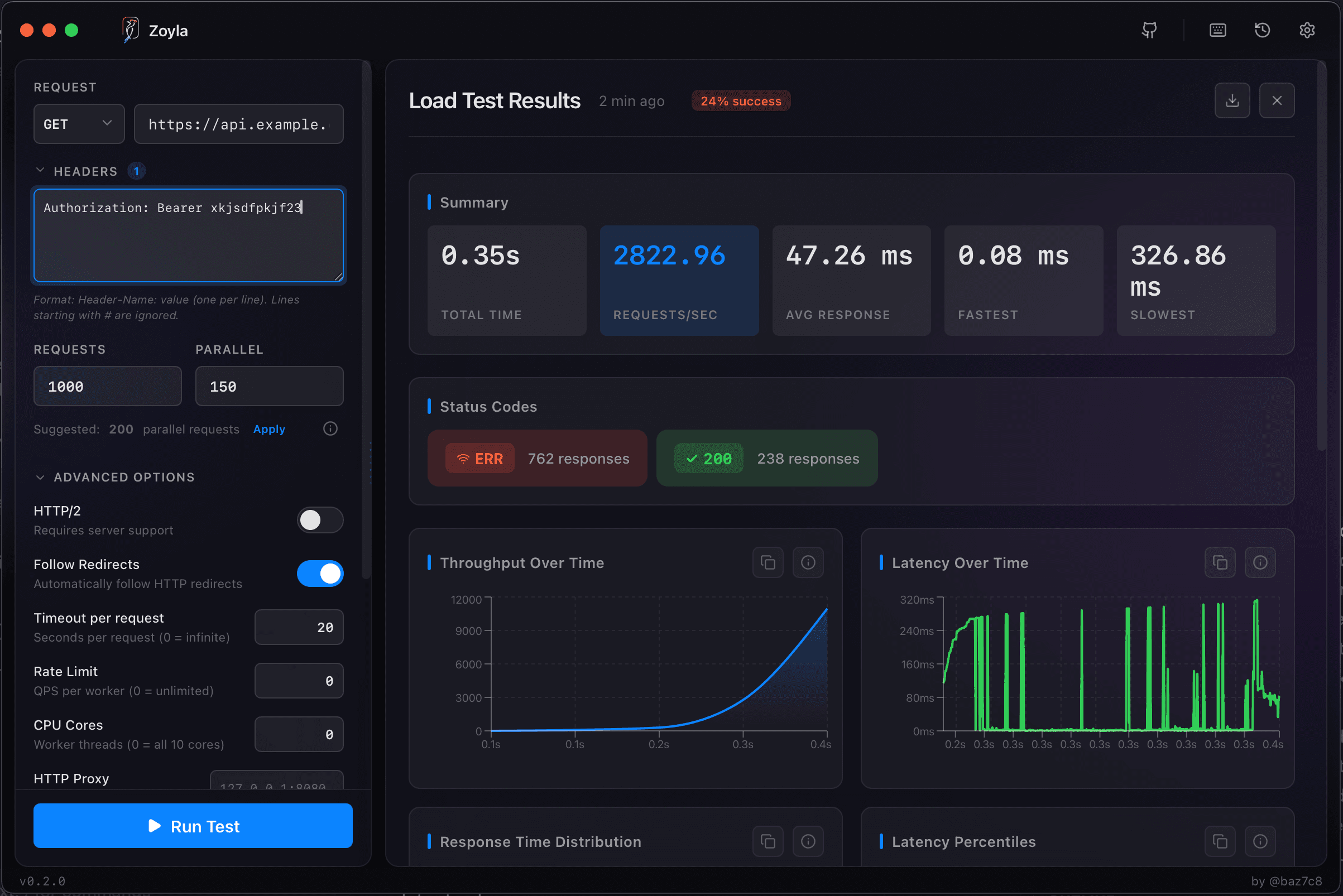
Zoyla makes this configuration straightforward. Set your endpoint, add your headers, configure concurrency and request count. The interface shows you exactly what you're testing.
Start with moderate load — maybe 10-20 concurrent requests. Run for at least a minute to get stable numbers. Then increase load and run again. Build up a picture of how performance changes with traffic.
For more on this methodology, see requests per second explained.
Common mistakes
Testing against localhost when you care about network latency. Local benchmarks are useful for isolating application performance, but they miss network overhead entirely.
Not accounting for client-side limitations. If your benchmarking tool can only generate 500 RPS, you'll never see what happens at 1000. Make sure your test client isn't the bottleneck.
Running too short. A 10-second benchmark catches fast problems but misses slow leaks. Memory issues, connection exhaustion, cache invalidation — these take time to manifest.
Ignoring variance. If you run the same benchmark three times and get wildly different results, something is unstable. Either fix the instability or report the range, not a single number.
Comparing results
When you benchmark to compare options — different configurations, different implementations, different hardware — keep everything else constant.
Change one variable at a time. If you change the server and the database and the code simultaneously, you won't know which change affected performance.
Run multiple iterations. A single run can have noise. Three runs minimum, more for important decisions. Look for consistency.
Report confidence intervals, not just point estimates. "Response time improved from 50ms to 40ms" is less useful than "Response time improved from 48-52ms to 38-42ms across five runs."
When to benchmark
Before major releases. After significant changes. When evaluating architectural decisions. When debugging production issues.
Don't benchmark constantly — it's time-consuming and most changes don't affect performance meaningfully. But do benchmark at decision points, when the data actually informs choices.
And always benchmark before you need to. Finding performance problems during a crisis is much harder than finding them during normal development. The performance baselines guide covers how to track these numbers over time.
Ready to benchmark your API? Download Zoyla and get reliable numbers in minutes.