
Load Testing Login and Auth Endpoints
How to properly load test authentication endpoints — login flows, token validation, and the unique challenges of testing auth systems.
Authentication endpoints are different. They're security-critical, often rate-limited, and they touch parts of your system that other endpoints don't. Load testing them requires some extra thought.
Get it wrong and you might lock out test accounts, trigger security alerts, or get completely misleading results. Get it right and you'll find bottlenecks that could otherwise take down your entire application during a traffic spike.
Why auth is special
When users can't log in, nothing else matters. Your beautiful dashboard, your carefully optimized API — none of it is accessible if authentication is broken. Auth endpoints are the front door.
They're also computationally expensive. Password hashing is intentionally slow — that's a security feature. Token generation involves cryptography. Session management hits the database. All of this adds up under load.
And they're targets. Login endpoints are where attackers focus. Rate limiting, brute force protection, account lockout — these security measures affect how your endpoints behave under load testing too.
Setting up the test
You need valid credentials. Obvious, but worth stating. If you're testing login, you need accounts to log in with. If you're testing token validation, you need valid tokens.
For login testing, create dedicated test accounts. Don't use real user credentials — that's a security risk and you might trigger account lockouts. Create a pool of test accounts specifically for load testing.
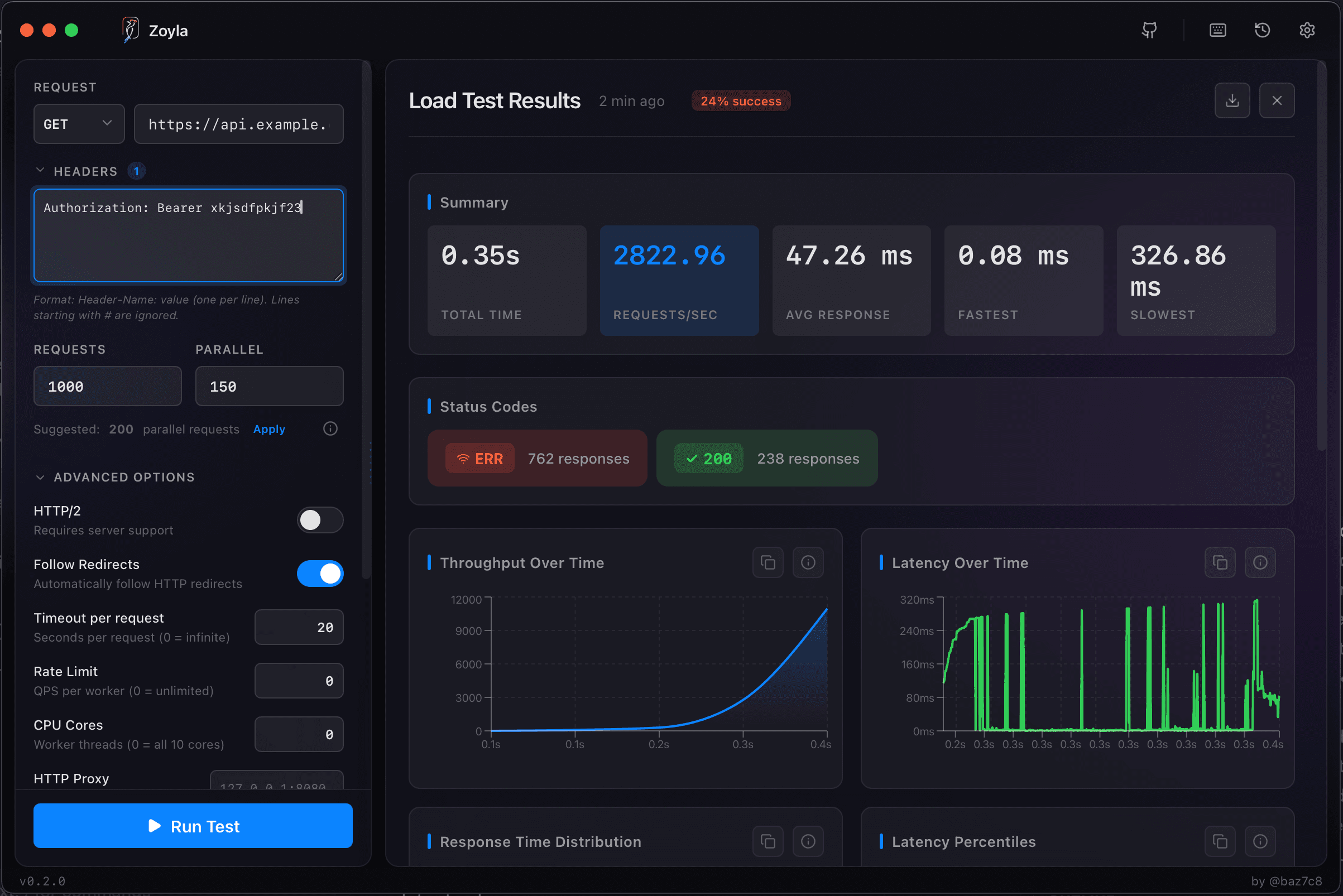
For token-based auth, generate tokens beforehand. Most load tests don't need to test the full login flow every time. Get a valid token, use it for your tests. Zoyla lets you set authorization headers that apply to every request.
The API load testing basics cover header configuration in more detail.
The rate limiting problem
Good auth systems have rate limiting. Too many failed attempts and you get locked out. Too many requests from one IP and you get throttled.
This is a problem for load testing because load tests are, by definition, lots of requests. You might hit rate limits before you find actual performance bottlenecks.
Options: whitelist your test IP, temporarily disable rate limiting in your test environment, or accept that rate limiting is part of what you're testing. The last option is actually useful — you want to know that your rate limiting works and what happens when it kicks in.
Just know which scenario you're in. If you're testing raw performance, disable rate limiting. If you're testing real-world behavior, leave it on. The API rate limiting testing guide covers testing rate limits specifically.
What to measure
Response time for login is critical. Users are impatient at the login screen. If login takes 3 seconds, they'll assume something is broken.
But don't just look at successful logins. Measure failed login attempts too. Some systems take longer to reject invalid credentials than to accept valid ones — a timing attack vulnerability. Others are the opposite, which can be exploited differently.
Error rates matter especially here. A 1% error rate on a normal API endpoint is concerning. A 1% error rate on login means 1% of your users can't access your application at all.
Check the error rates under load guide for what patterns to watch for.
Token validation performance
If your API uses tokens (JWT, OAuth, session tokens), every authenticated request involves validation. That validation happens on every single request. Under load, it adds up.
Test your authenticated endpoints, not just the login endpoint. If token validation is slow, your entire authenticated API is slow.
JWT validation is usually fast — it's just cryptographic verification. But if you're hitting a database or cache for every token check, that can become a bottleneck. Session-based auth is particularly vulnerable here. The cold start performance guide covers first-request latency issues.
The session store problem
Session-based authentication stores session data somewhere — database, Redis, memory. Under load, that session store becomes critical infrastructure.
If sessions are in the database, you're adding database queries to every authenticated request. If they're in Redis, Redis becomes a single point of failure. If they're in memory, you can't scale horizontally.
Load test with realistic session behavior. Create sessions, use them, let them expire. Watch your session store's performance metrics. A slow session store means slow authentication means slow everything. The connection pooling performance guide covers connection management for session stores.
Security considerations
Be careful with load testing auth in production. You might trigger security alerts, lock accounts, or attract attention from security monitoring.
Test against staging or test environments when possible. If you must test production, coordinate with your security team. Let them know what's happening so they don't treat your load test as an attack.
And never, ever include real user credentials in load test configurations. Use dedicated test accounts with credentials that don't matter if exposed.
A simple approach
Start with the simple load testing setup. Test your login endpoint with a small number of test accounts. See how it performs. Then test your authenticated endpoints with valid tokens.
Gradually increase load. Watch for the point where response times spike or errors appear. That's your bottleneck.
Most auth performance issues come down to a few things: slow password hashing (by design), slow session lookups (fixable), or rate limiting kicking in (expected). Identify which one you're hitting and decide if it's a problem.
Ready to test your auth endpoints? Download Zoyla and make sure your login can handle the traffic.