
Connection Pooling and Why It Matters for Performance
Understanding connection pools — how they work, why they matter, and how to size them correctly for your load.
Every time your application talks to a database, it needs a connection. Creating that connection takes time — TCP handshake, authentication, protocol negotiation. Maybe 10-50 milliseconds. Doesn't sound like much until you're doing it thousands of times per second.
Connection pooling solves this by keeping connections open and reusing them. Instead of connect-query-disconnect for every request, you borrow a connection from the pool, use it, and return it. The expensive setup happens once, not every time.
How pools work
A connection pool maintains a set of open connections to your database. When your code needs to run a query, it requests a connection from the pool. If one is available, it gets returned immediately. If all connections are busy, the request waits until one frees up.
After your code finishes with the connection, it returns it to the pool. The connection stays open, ready for the next request.
This is dramatically faster than creating new connections. A query that would take 60ms with connection overhead might take 10ms when the connection is already established.
The sizing problem
Here's where it gets tricky. How many connections should your pool have?
Too few and requests queue up waiting for connections. Your database is idle while your application is blocked. Response times spike even though you have capacity to spare.
Too many and you overwhelm the database. Each connection consumes memory on the database server. Too many connections and the database spends more time managing connections than running queries. Performance degrades for everyone.
The right size depends on your workload, your database, and your infrastructure. There's no universal answer.
Finding the right size
Start with a reasonable default. For most applications, a pool size of 10-20 connections per application instance is a decent starting point.
Then load test. Watch two things: connection wait time (how long requests wait for a connection) and database performance (CPU, memory, active connections).
If you see connection wait times but the database is comfortable, increase the pool size. If the database is struggling but there's no connection waiting, decrease the pool size or optimize queries.
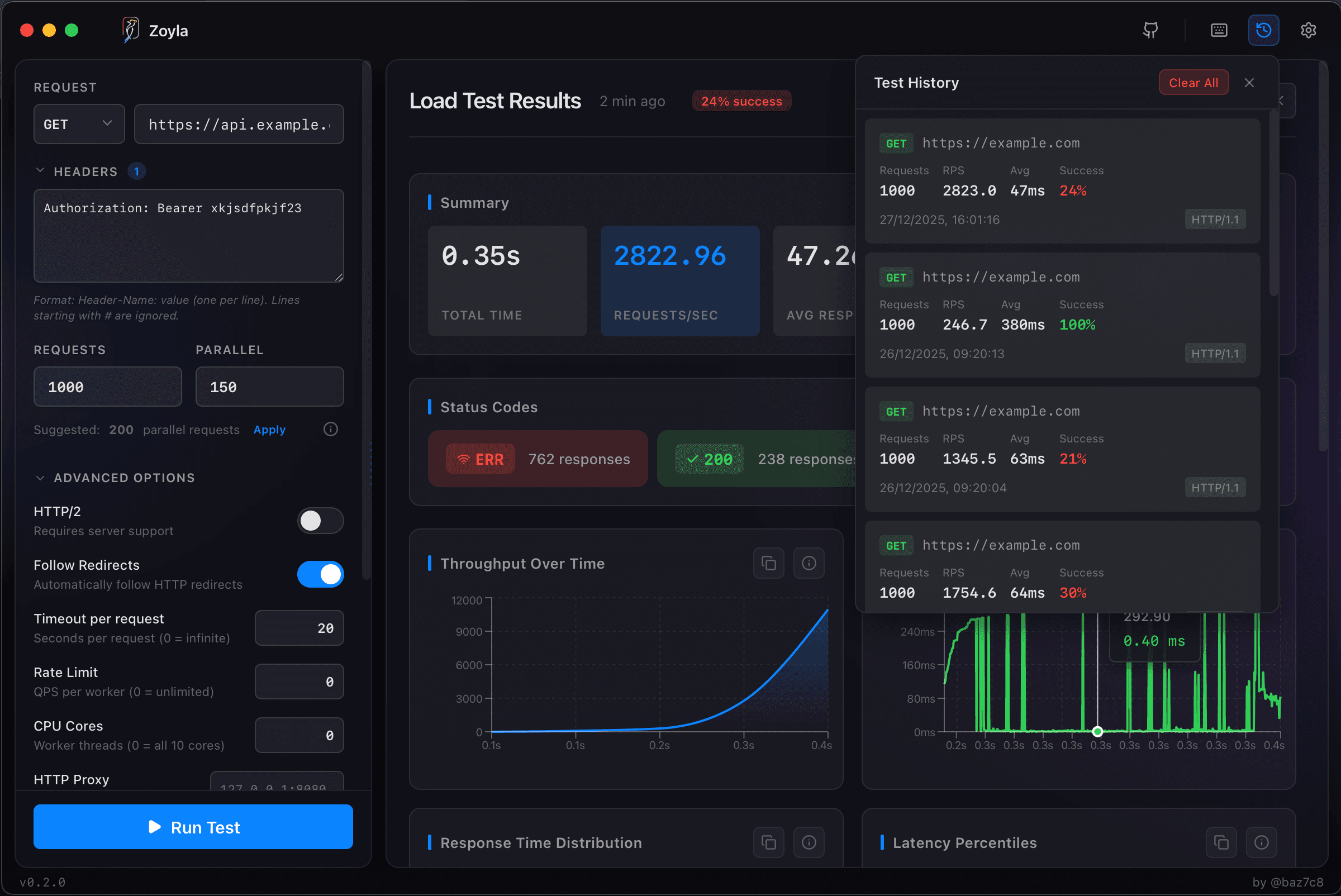
Zoyla helps here by showing you response time distribution. If you see bimodal response times — some fast, some slow — connection pool exhaustion is a likely culprit. The slow requests are waiting for connections.
The database bottlenecks guide covers more diagnostic approaches.
The math
There's a formula that sometimes helps. Pool size = (core_count * 2) + effective_spindle_count. For SSDs, effective_spindle_count is usually 1. So a 4-core database server might want a pool of around 9 connections per application instance.
But this is a starting point, not gospel. Real workloads vary. A read-heavy workload with fast queries can support more connections than a write-heavy workload with slow queries.
The only way to know for sure is to test. The finding your API's breaking point guide explains how to push until something breaks.
Connection pool exhaustion
When all connections are in use and a new request arrives, something has to give. Most pools have a timeout — wait this long for a connection, then fail.
Under load, this manifests as sudden error spikes. Everything is fine, then you hit the pool limit, and errors jump. The errors might say "connection timeout" or "pool exhausted" or something less helpful depending on your stack.
If you see this pattern in load tests, you have options: increase pool size, decrease connection hold time (make queries faster), or add more application instances to spread the load.
Connection leaks
A connection leak happens when code borrows a connection and never returns it. The pool shrinks over time until it's exhausted.
This is insidious because it works fine at first. You have 20 connections, you leak one per minute, everything seems okay for 19 minutes. Then suddenly you're out of connections and everything fails.
Load tests can surface this. Run a sustained test for 30 minutes or an hour. If performance degrades over time even though load is constant, you might have a leak. Watch your pool's active connection count — it should stay stable, not grow continuously. The soak testing guide covers how to find these time-based issues.
Multiple pools
If your application talks to multiple databases, each needs its own pool. And the total connections across all pools still needs to fit within what your infrastructure can handle.
This gets complicated with microservices. Ten services each with a pool of 20 connections means 200 connections to your database. That might be too many.
Coordinate pool sizes across services. Or use a connection pooler like PgBouncer that sits between your applications and the database, multiplexing connections more efficiently.
The capacity planning angle
Connection pool size is part of capacity planning. When you estimate how much traffic you can handle, connection limits are often the constraint.
If your database allows 100 connections and your pool size is 20, you can run 5 application instances. Need more? Either increase database connection limits (has costs) or reduce pool size per instance (increases contention).
This is why connection pooling matters for performance planning, not just performance optimization. It's a hard limit on how much you can scale.
Quick wins
If you're not using connection pooling at all, add it. This is the biggest single improvement.
If you are using pooling, check your pool size against your load. Most defaults are conservative. You might have headroom.
If queries are holding connections too long, optimize the queries. A query that takes 100ms instead of 10ms holds a connection 10x longer, effectively reducing your pool capacity by 10x. The response time optimization guide covers how to speed up slow queries.
And always test. Assumptions about pool sizing are often wrong. Actual load test data tells you what's really happening.
Want to find your connection bottlenecks? Download Zoyla and see how your API performs under real load.