
Desktop vs CLI Load Testing Tools
Comparing desktop applications and command-line tools for load testing — the tradeoffs, use cases, and when each makes sense.
Most load testing tools fall into two camps: command-line tools you run from a terminal, and desktop applications with graphical interfaces. Both work. The question is which fits how you work.
The CLI approach
Tools like wrk, hey, and k6 live in the terminal. You type a command, it runs, results print to stdout. Simple and scriptable.
The advantages are real. You can pipe output to other tools. You can run tests from CI/CD pipelines. You can SSH into a server and run tests from there. Everything's automatable.
For developers who live in the terminal anyway, this feels natural. One more command in the workflow.
But there are downsides. Visualizing results means piping to another tool or copying data into a spreadsheet. Configuring complex tests means writing scripts or remembering command-line flags. Sharing results with non-technical teammates is awkward.
The desktop approach
Desktop apps give you a GUI. Point and click. Visual configuration. Charts and graphs built in.
Zoyla is an example of this. You open the app, enter your endpoint, set your parameters, click run. Results appear as charts you can actually read. No terminal required.
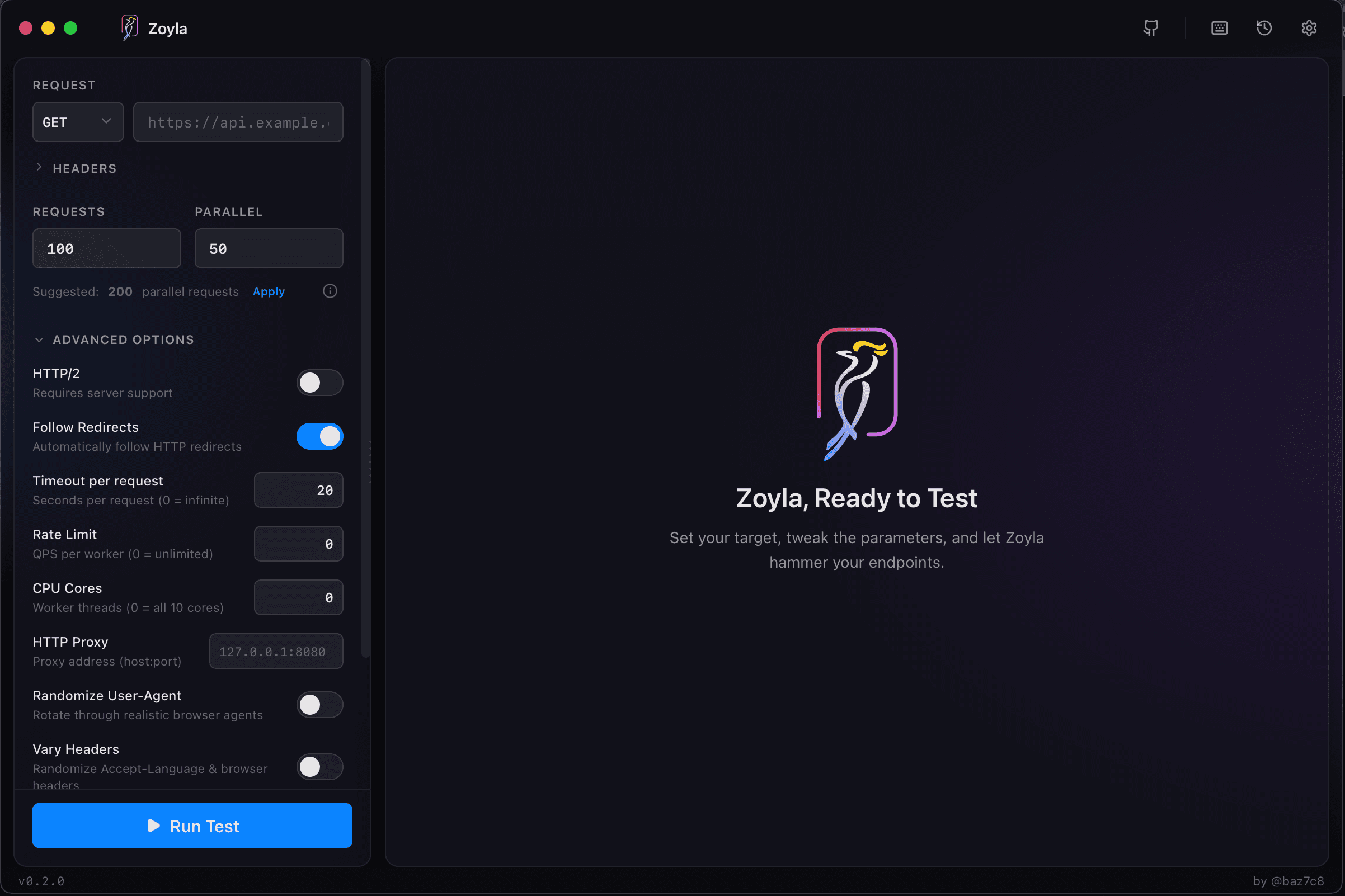
This lowers the barrier. You don't need to remember syntax. You can see your configuration before running. Results are immediately visual, not walls of text you have to parse.
The tradeoff is flexibility. You can't easily script a GUI. Running tests from a remote server means using a different tool. Integration with CI/CD is less natural.
When CLI makes sense
You're automating tests as part of your build pipeline. You're running tests from servers or containers. You're comfortable with the terminal and prefer text-based workflows. You need to process results programmatically.
If you're already using k6 in your CI/CD, keep using it. The scriptability is the point. For more on CI/CD integration, see continuous performance testing.
When desktop makes sense
You're doing ad-hoc testing during development. You want to quickly check an endpoint without writing a script. You prefer visual feedback. You're sharing results with people who don't want to read terminal output.
For the stress testing vs load testing exploration phase, where you're iteratively increasing load and watching what happens, a visual tool is often faster.
The hybrid approach
Some teams use both. CLI tools in CI/CD for automated regression testing. Desktop tools for manual exploration and debugging.
This actually makes sense. Different tools for different contexts. The automated tests catch regressions. The manual tests let you dig into specific issues.
What about cloud tools?
Cloud-based load testing is a third category. Tests run on someone else's infrastructure. Good for simulating load from multiple locations, but your data goes through external servers.
For local-first testing — keeping test data on your machine — desktop tools are the way to go.
Making the choice
If you're not sure, try both approaches. Run a CLI tool against an endpoint. Then try a desktop tool against the same endpoint. See which feels more natural, which gives you the information you need faster.
For a broader look at options, check out free load testing tools worth using.
The goal is getting useful performance data. The specific tool matters less than actually running the tests. For a minimal starting point, see simple load testing setup.
Zoyla is built with Rust for performance, so you get the speed of native tools with the convenience of a GUI.
Want to try the desktop approach? Download Zoyla and see how visual load testing feels.