
Load Testing Without the Learning Curve
How to start load testing without getting lost in complex tools and configurations. A minimal, practical approach.
Load testing has a reputation for being complicated. Enterprise tools with week-long setup processes. Scripting languages to learn. Configuration files that look like they were designed to confuse.
It doesn't have to be that way.
The minimal approach
Here's what you actually need to run a useful load test:
An endpoint to test. A way to send multiple requests at once. A way to measure the results. The HTTP load testing explained guide covers the fundamentals.
That's it. Everything else is optional complexity that you can add later if you need it.
Skip the enterprise tools
JMeter is powerful. It's also overwhelming for someone who just wants to check if their API can handle 100 concurrent users. The learning curve is steep. The interface is dense. You spend more time figuring out the tool than actually testing.
For most developers doing routine load testing, simpler tools work fine. You don't need distributed testing infrastructure. You don't need custom plugins. You need to send requests and see what happens. The free load testing tools guide covers your options.
A practical starting point
Pick your most important endpoint. Usually that's authentication, or your main data retrieval API, or whatever users hit most frequently.
Open Zoyla or whatever tool you're using. Enter the URL. Set the number of requests — start with 100. Set concurrency — start with 10. Run it.
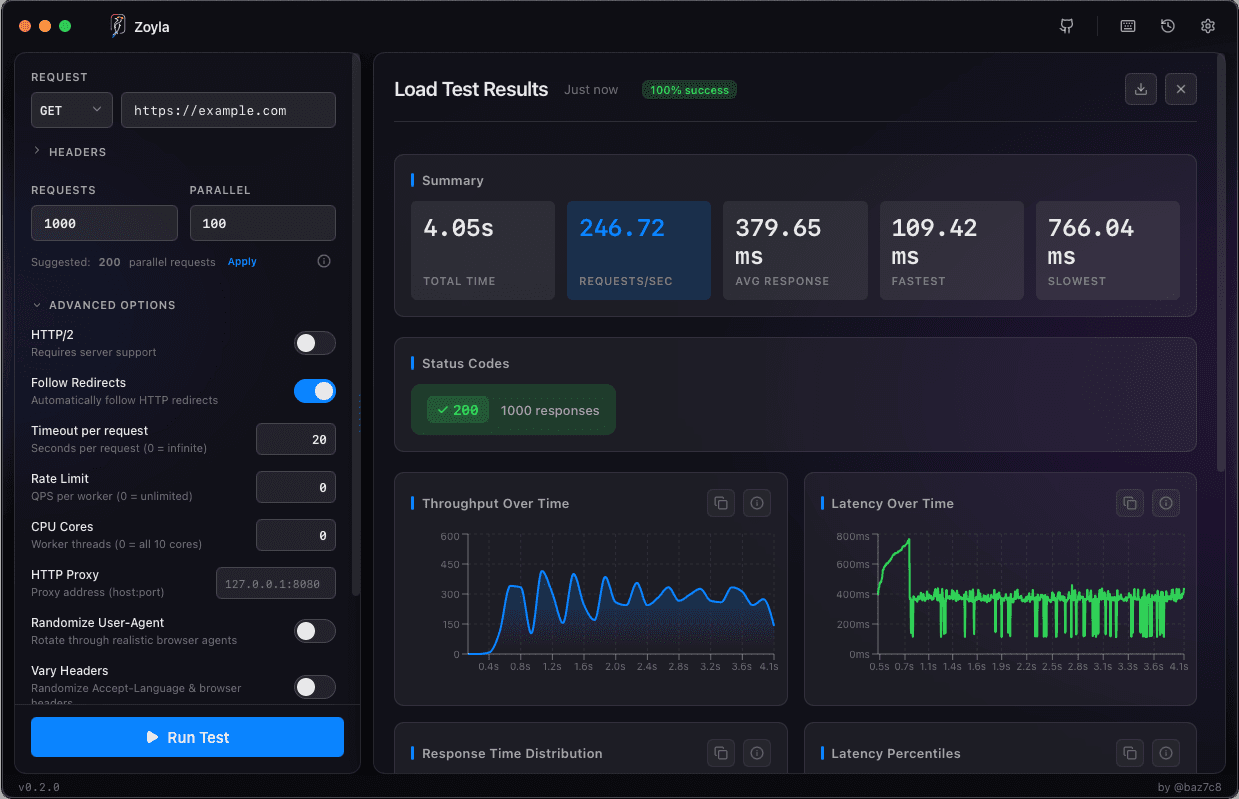
Look at the results. Average response time. Percentile distribution. Error rate. That's your baseline.
Now increase concurrency to 25. Run again. Compare. Then 50. Then 100. Watch how the numbers change.
That's load testing. You just did it.
What the results tell you
If response times stay flat as you increase concurrency, your system has headroom. Good.
If response times climb gradually, you're approaching limits. Note where the curve starts bending.
If response times spike or errors appear, you've found a problem. Now you know where to investigate.
The guide on interpreting results goes deeper on reading these numbers.
Don't over-engineer it
You don't need to simulate complex user journeys for basic load testing. You don't need to parameterize everything. You don't need realistic geographic distribution.
Those things matter for sophisticated testing scenarios. But for "can my API handle the traffic I expect?" — simple tests give you the answer.
Start simple. Add complexity only when you have specific questions that require it.
Building the habit
The best load testing setup is one you'll actually use. If the tool is annoying, you'll skip tests. If setup takes 30 minutes, you'll only test before major releases.
Zoyla's approach is to minimize friction. Open the app, configure the test, run it. Results in seconds. Low enough overhead that you might actually test regularly instead of occasionally.
For more on making this routine, check out making load testing part of your workflow.
The next step
Once you're comfortable with basic tests, you can explore more. Different endpoints. Longer test durations. Stress testing to find breaking points. But that all builds on the simple foundation.
Don't let complexity stop you from starting. A basic test today is infinitely more useful than a sophisticated test you never run. The when to load test guide helps you decide when testing is worth the effort.
Want to try the minimal approach? Download Zoyla — it's free, runs locally, and you'll have results in seconds.