
Setting Performance Baselines
How to establish performance baselines that let you detect regressions and track improvements over time.
A baseline is a reference point. It's what "normal" looks like. Without one, you can't tell if things are getting better or worse.
Performance baselines let you detect regressions before users notice them. They turn vague feelings about speed into concrete numbers.
What to baseline
Pick metrics that matter for your application.
Response time percentiles — p50, p95, p99 for your critical endpoints. These tell you what users experience. See why percentiles matter for more on this.
Throughput — requests per second at a standard load. This tells you capacity.
Error rate — should be near zero under normal load.
Resource usage — CPU, memory, database connections at standard load.
Document these numbers. Date them. Store them somewhere you'll actually look at later.
How to measure
Run the same test consistently. Same endpoints, same load, same duration. Ideally same environment, though that's not always possible.
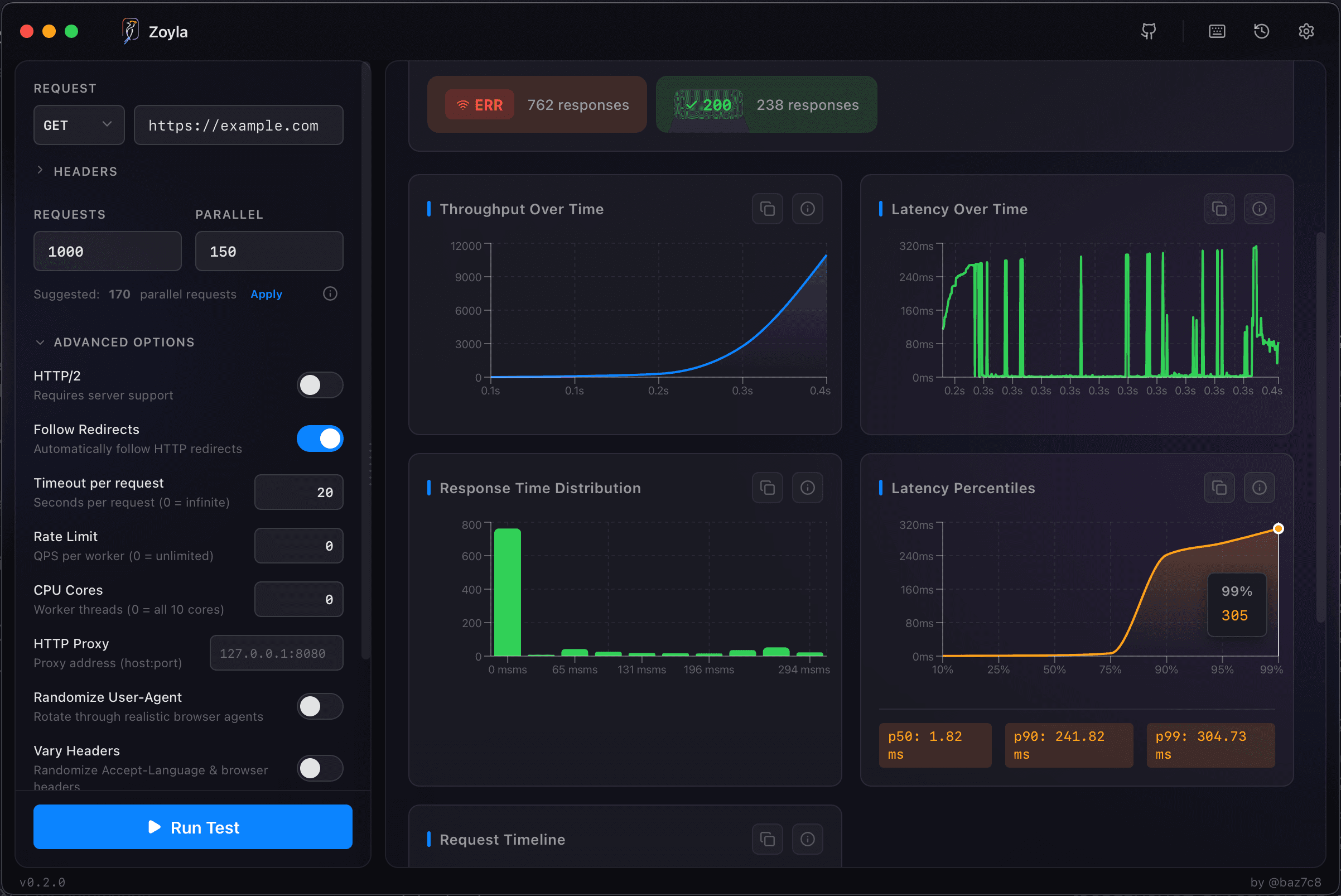
Zoyla makes this easy — configure your test once and rerun it whenever you need fresh numbers. The test history keeps track of your previous runs for comparison.
Run multiple times and average. Single runs have noise. Three runs give you confidence in the numbers.
When to baseline
After major releases — your new baseline reflects current state.
Before optimization work — so you can measure improvement.
Periodically — monthly or quarterly, just to track drift.
After infrastructure changes — new servers, new database, new anything that might affect performance.
Detecting regressions
Compare current results to baseline. If p99 latency increased 50%, something changed. If throughput dropped 20%, something got slower.
Small variations are normal. 5% difference might be noise. 50% difference is a problem.
Set thresholds for what counts as a regression. Maybe 20% degradation triggers investigation. Maybe 10% for critical endpoints.
Tracking improvements
Same process, opposite direction. After optimization work, run your baseline test. Compare to before.
This proves your optimization actually worked. Sometimes changes that should help don't. Sometimes they make things worse. Testing tells you which.
Document improvements with the same rigor as regressions. "Optimized query X, p99 improved from 200ms to 80ms." That's useful history.
The baseline document
Keep a simple record:
- Date
- Test configuration (endpoints, load, duration)
- Key metrics (p50, p95, p99, RPS, error rate)
- Environment notes (any relevant context)
- Changes since last baseline
This doesn't need to be fancy. A spreadsheet works. A markdown file works. Whatever you'll actually maintain.
Environment consistency
Baselines are most useful when measured consistently. Same test environment, same data volume, same configuration.
If your staging environment changes, note it. "Baseline from 2024-01 is against 4-core servers. 2024-06 baseline is against 8-core." Context matters.
For more on environment setup, see setting up a proper test environment.
Automated baselines
For teams with CI/CD pipelines, baseline testing can be automated. Run performance tests on every merge. Compare to stored baselines. Fail the build if regressions exceed thresholds.
This catches regressions immediately, before they reach production.
For more on this approach, see making load testing part of your workflow.
Starting from zero
If you don't have baselines yet, start now. Run a test against your current system. Document the results. That's your baseline.
It doesn't have to be comprehensive. Start with one critical endpoint. Expand later.
The best time to establish baselines was before your last release. The second best time is now. The when to load test guide covers timing in more detail.
The practical value
Baselines turn performance from a feeling into a fact. "The site feels slow" becomes "p95 increased from 150ms to 400ms since last month." For catching these changes automatically, see performance regression testing.
Facts are actionable. Feelings aren't.
Establish baselines. Maintain them. Use them to catch problems early and prove improvements work.
Zoyla's test history feature makes it easy to track baselines over time — every test is saved automatically, so you can always compare current results to previous runs.