
Load Testing Before Launch Day
A practical checklist for load testing before launching a new product, feature, or major release.
Launch day is not the time to discover your API can't handle the traffic. That's an expensive lesson.
Pre-launch load testing gives you confidence. Or it gives you problems to fix before they become public failures. Either way, you're better off.
What to test
Start with your critical paths. The endpoints users will hit most. The ones where failure hurts most.
Authentication is usually critical. If login breaks, nothing else matters.
Your main data retrieval endpoints. Product listings, user profiles, whatever your app is actually about.
Transaction endpoints. Anything involving money or irreversible actions.
You don't need to test everything. Focus on what matters.
How much load
Estimate your expected traffic. Be realistic but not optimistic.
If you're launching to an existing user base, you have data. Look at current usage patterns.
If you're launching something new, estimate conservatively. Then add margin. Then add more margin.
Test at your expected peak load. Then test at 2x that. You want to know you have headroom, not just that you'll barely survive. The capacity planning basics guide shows how to translate these numbers into infrastructure decisions.
The testing sequence
Baseline test — run at expected normal load. Everything should work perfectly. If it doesn't, stop here and fix things.
Peak test — run at expected peak load. Still should work well. Minor latency increase is acceptable.
Stress test — push past peak. Find where things break. This is your safety margin.
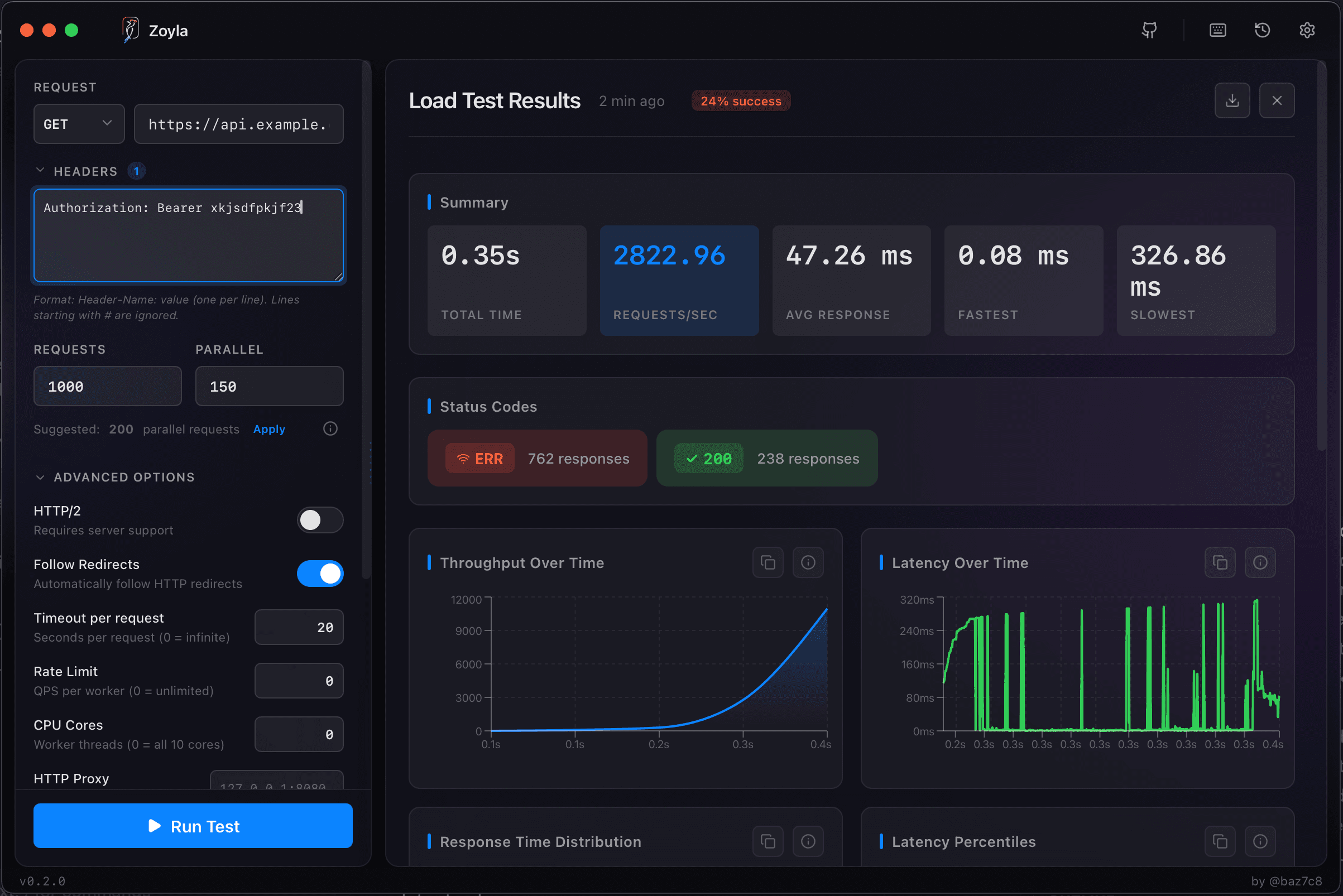
Document results at each stage. You're building evidence that you're ready. The performance baselines guide covers how to track these numbers over time.
What to look for
Latency should stay reasonable under expected load. If p95 is already 500ms at normal traffic, peak traffic will be worse.
Error rates should be near zero at expected load. Any errors at normal traffic are problems.
Resource utilization should have headroom. If you're at 90% CPU during testing, you have no room for surprises.
For more on reading these results, see how to read load test results.
Environment matters
Test against something that resembles production. Same database size. Same infrastructure specs. Same network topology.
Testing against a tiny staging environment gives you false confidence. See setting up a proper test environment.
The week before launch
Run your full test suite. Baseline, peak, stress. Document everything.
If results are good, you're ready. If results show problems, you have time to fix them or adjust expectations.
Don't skip this because you're busy with other launch prep. This is launch prep.
Launch day monitoring
Load testing tells you what should happen. Monitoring tells you what is happening.
Watch your metrics during launch. Compare to your test results. If reality matches testing, great. If it's worse, you might have environmental differences to investigate.
Have a rollback plan. If things go badly, you want to be able to reduce load quickly. The when to load test guide covers the broader timing of testing in your workflow.
After launch
Your first real traffic is data. Compare it to your test predictions.
If you predicted 1000 RPS and you're seeing 1500, you learned something about your estimates.
If performance in production is worse than testing, you learned something about your test environment.
Use this to improve future testing.
The minimum viable approach
If you're short on time, at least do this:
- Identify your single most critical endpoint
- Run a load test at expected peak traffic
- Verify latency and error rates are acceptable
That's 10 minutes of work that might save you from a launch disaster.
For teams wanting to make this routine, check out making load testing part of your workflow.