
Getting Your Timeouts Right: A Load Testing Perspective
How to configure and test timeouts properly — connection timeouts, read timeouts, and why getting them wrong causes cascading failures.
Timeouts seem simple until they're not. Set them too short and legitimate requests fail. Set them too long and slow responses tie up resources forever. Get them wrong in a distributed system and you get cascading failures.
Load testing helps you find the right values.
The different types
There's no single "timeout" setting. Connection timeout is how long you'll wait to establish a connection. Read timeout is how long you'll wait for data after the connection is established. Request timeout is the total time for the entire request-response cycle. Idle timeout is how long a connection can sit unused.
Each needs its own value. They're not interchangeable.
Why they matter under load
Under normal conditions, timeouts rarely trigger. Under load, everything slows down. What was 50ms becomes 5 seconds.
Without proper timeouts, clients wait indefinitely for slow responses. This ties up threads, connections, and memory. Timeouts are your circuit breaker. But if they're too aggressive, legitimate slow requests get killed.
Finding the right values
Start by understanding your baseline. What's the p99 response time under normal conditions? Under peak load? The latency percentiles guide explains why p99 matters more than averages.
If your p99 is 500ms normally and 2 seconds under peak, a 1-second timeout will fail requests during busy periods. A 5-second timeout gives headroom.
The cascade problem
In distributed systems, timeout misconfiguration causes cascading failures.
Service A calls B with a 10-second timeout. B calls C with a 30-second timeout. C is slow. B waits 30 seconds for C. But A only waits 10 seconds for B. A times out, retries, and now B is handling two requests for the same operation.
The fix: timeouts should decrease as you go up the call chain. The microservices guide covers this more.
Testing them
Run a load test at normal levels. You shouldn't see timeout errors. If you do, your timeouts are too aggressive.
Push into stress territory. Some timeouts are expected. But watch the pattern — are they gradual or sudden? Do they recover when load decreases?
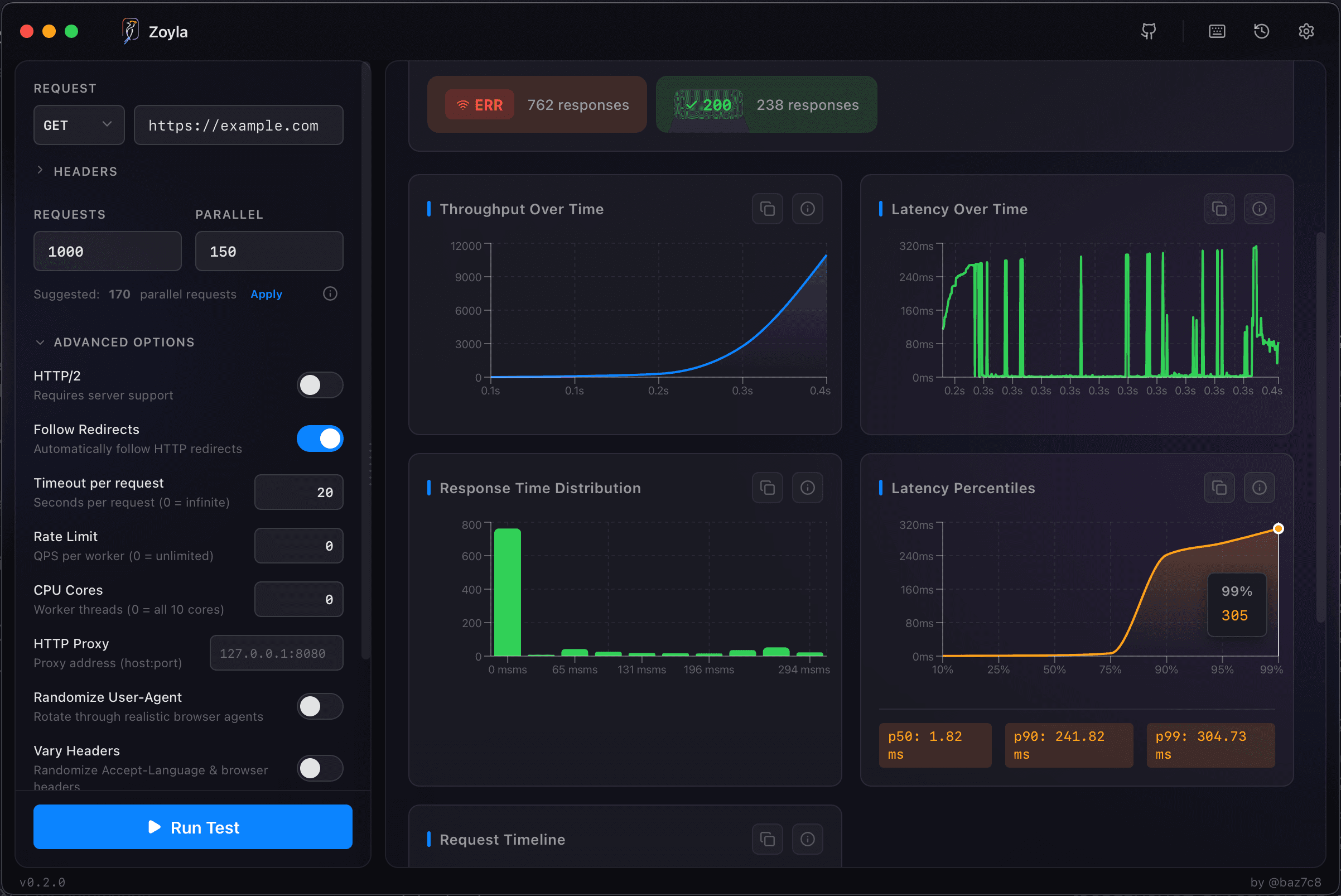
For interpreting error patterns, see error rates under load.
Common mistakes
Setting all timeouts to the same value. Different operations have different characteristics.
Forgetting about retries. If you retry on timeout, multiply your timeout by retry count to get the real user-facing delay.
Timeouts that are too long to be useful. A 5-minute timeout might as well be no timeout. By then, the user has given up. The testing third-party APIs guide covers timeouts for external dependencies.
Want to see how your API behaves under load? Download Zoyla and find out where your timeouts should be set.