
Reading Error Rates Under Load
How to interpret error rates during load testing — what different error types mean and when to worry.
Some errors during load testing are expected. You're pushing your system hard. Things will break. The question is: which errors matter?
Not all errors are equal. A 429 rate limit response is different from a 500 server crash. Understanding what you're seeing helps you know what to fix.
The error rate number
Error rate is usually expressed as a percentage. If you send 1000 requests and 50 fail, that's a 5% error rate.
But "fail" needs definition. HTTP errors (4xx, 5xx status codes) are obvious failures. Timeouts are failures. Connection refused is a failure. But what about a 200 response with wrong data? That's a failure too, just harder to detect automatically.
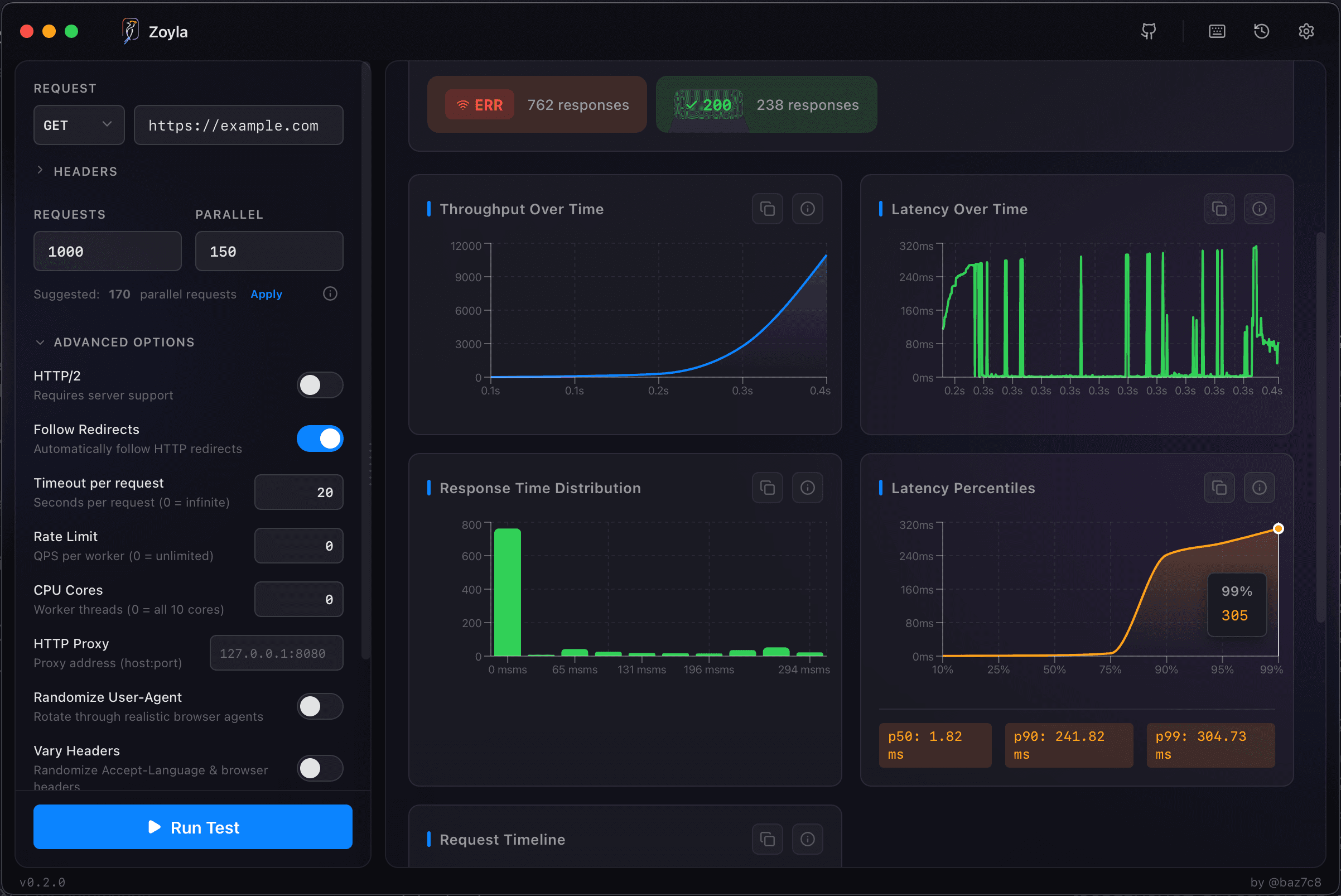
Most load testing tools count HTTP errors and timeouts. Zoyla shows you the breakdown by status code, which helps you understand what's happening.
Status code meanings
5xx errors — your server is having problems. 500 Internal Server Error means something crashed. 502 Bad Gateway means an upstream service failed. 503 Service Unavailable often means you're overloaded.
These are the serious ones. If you're seeing 5xx errors, something is wrong.
4xx errors — usually client-side issues, but not always. 429 Too Many Requests means you hit rate limiting. 401/403 means authentication problems. 400 Bad Request might mean your test is sending invalid data.
During load testing, 429s are expected if you have rate limiting. The others might indicate test configuration issues.
Timeouts — the server didn't respond in time. Could mean it's overloaded. Could mean a request got stuck. Could mean network issues. The timeout configuration guide covers how to set these correctly.
What error rates tell you
At low load, you should see near-zero errors. If you're getting errors at low concurrency, something's wrong with your test setup or your application.
As load increases, errors typically stay low until you approach capacity. Then they spike. The load level where errors start appearing is useful information — it's one definition of your capacity limit.
The pattern matters too. Gradual increase suggests graceful degradation. Sudden spike suggests hitting a hard limit. Oscillating errors might indicate retry storms or cascading failures.
Acceptable error rates
This depends on context. For a load test at expected traffic levels, you probably want under 0.1% errors. Ideally zero.
For stress testing where you're intentionally pushing past limits, higher error rates are expected. The goal is finding where errors start, not avoiding them entirely.
For production monitoring, even 0.1% might be too high depending on your scale. At 1 million requests per day, 0.1% is 1000 errors.
Investigating errors
When you see errors, dig into the specifics.
Which endpoints are failing? Maybe one endpoint is broken while others are fine.
What's the error distribution? All 500s? Mix of 500s and timeouts? This tells you different things.
When do errors start? At what concurrency level? After how long? Errors that appear after 10 minutes might indicate resource exhaustion.
Zoyla's results show status code breakdown, which helps with this analysis. For deeper investigation, you'll want server-side logs too.
Common patterns
Errors increase linearly with load — you're hitting capacity. Each additional request has some chance of failing because resources are constrained.
Errors spike suddenly at a threshold — you hit a hard limit. Connection pool exhausted, thread pool full, rate limiter kicked in. This is your breaking point.
Errors appear after time, not load — resource leak. Memory filling up, connections not being released, something accumulating.
Errors oscillate — cascading failures or retry storms. System fails, clients retry, system gets more load, fails harder.
The takeaway
Error rates tell you when your system is breaking. The details tell you how.
For more on interpreting the full picture, see how to read load test results. And for understanding the latency side, check out P95, P99, and why averages lie.