
Load Testing GraphQL APIs: What's Different
GraphQL load testing has unique challenges — variable query complexity, single endpoints, and N+1 problems. Here's how to approach it.
GraphQL isn't REST. That sounds obvious, but it has real implications for load testing. The single endpoint, the flexible queries, the nested resolvers — all of these change how you think about performance testing.
If you approach GraphQL load testing the same way you'd test REST, you'll miss important problems and optimize the wrong things.
The single endpoint problem
REST APIs have many endpoints. You test /users, you test /orders, you get separate performance data for each.
GraphQL has one endpoint. Everything goes to /graphql. A simple query and a complex query hit the same URL. Your load testing tool sees them as identical requests to the same endpoint.
This means you need to be more deliberate about what you're testing. The query in the request body determines the workload, not the URL.
When you test GraphQL, you're really testing specific queries. Document which queries you're testing and why. "Load tested the GraphQL endpoint" is meaningless. "Load tested the user profile query with nested orders" is useful.
Query complexity varies wildly
Here's a simple GraphQL query:
query {
  user(id: "123") {
    name
  }
}
Here's a complex one:
query {
  user(id: "123") {
    name
    orders(last: 100) {
      items {
        product {
          reviews(last: 50) {
            author {
              name
            }
          }
        }
      }
    }
  }
}
Both hit /graphql. But the second query might be 1000x more expensive. It fetches a user, their last 100 orders, all items in those orders, products for each item, and 50 reviews per product with author information.
Load testing needs to reflect this. Test your simple queries and your complex queries separately. Know the performance characteristics of each.
The throughput vs latency relationship matters especially here — a complex query might have acceptable latency but terrible throughput.
The N+1 problem on steroids
REST APIs can have N+1 query problems. GraphQL makes them worse.
When a resolver fetches related data for each item in a list, you get N+1 queries. With GraphQL's nested structure, this compounds. N items with M related items each with K sub-items means N × M × K database queries. That adds up fast.
DataLoader and similar batching solutions help. But you need to verify they're working under load.
Run a load test with a nested query. Watch your database query count. If you're seeing thousands of queries per GraphQL request, you have an N+1 problem. If you're seeing a handful of batched queries, your DataLoader is working. The database bottlenecks guide covers query optimization in more detail.
Testing specific queries
Set up your load test with the exact GraphQL queries you want to test. In Zoyla, you'd configure a POST request to your GraphQL endpoint with the query in the body.
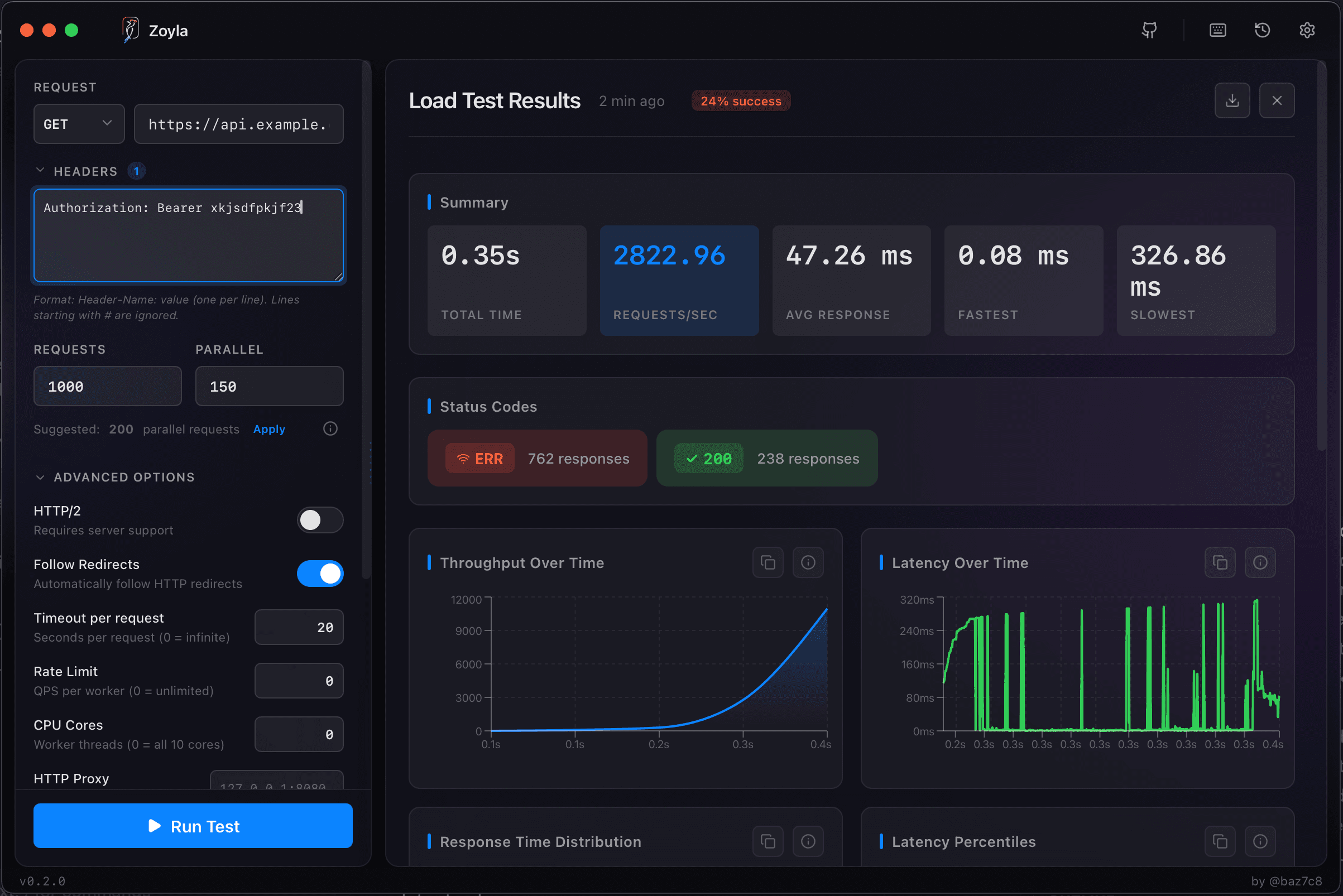
Start with your most common queries. What do most users request? Those are your baseline tests.
Then test your expensive queries. What's the most complex query your schema allows? What happens when someone requests everything? These stress tests reveal your worst-case performance.
The API load testing basics cover the general setup — GraphQL just needs attention to the query payload.
Variables and realistic data
GraphQL queries use variables. A query for user "123" might perform differently than a query for user "456" if they have different amounts of data.
Test with realistic variable distributions. If some users have 10 orders and others have 10,000, your test should reflect that mix. Testing only with small datasets gives you optimistic results. The load testing pagination guide covers testing with varying data sizes.
Also test with realistic query patterns. If your frontend makes three queries on page load, test that pattern. If users typically request specific field combinations, test those combinations.
Rate limiting and query cost
Some GraphQL APIs implement query cost analysis. Complex queries cost more than simple ones. Rate limits might be based on cost rather than request count.
If you have this, test it. Send queries of varying complexity and verify that cost-based limiting works correctly. A simple query should be allowed more frequently than an expensive one.
Without cost-based limiting, a single expensive query can tie up your server. That's worth knowing before someone discovers it in production.
Introspection and schema queries
GraphQL supports introspection — querying the schema itself. This is useful for tooling but can be expensive.
Test your introspection performance. Some GraphQL implementations have slow introspection. If your schema is large, introspection queries might take seconds.
Consider disabling introspection in production if you don't need it. If you do need it, make sure it performs acceptably under load.
Subscriptions are different
If your GraphQL API supports subscriptions (real-time updates over WebSocket), that's a different testing challenge. Subscriptions maintain persistent connections and push data to clients. The connection pooling performance guide covers connection management challenges.
Load testing subscriptions means testing connection capacity, not request throughput. How many concurrent subscriptions can you support? What happens when you push updates to thousands of connected clients?
This is more specialized than query load testing. The fundamentals in realistic load patterns apply, but the mechanics are different.
Monitoring query performance
Your load test results tell you aggregate performance. But you also want to know which resolvers are slow.
GraphQL tracing extensions can add per-resolver timing to responses. Apollo and other servers support this. Enable it during testing to see where time is spent.
If your user resolver is fast but your orders resolver is slow, that's actionable information. Aggregate response time alone wouldn't tell you that.
The bottom line
GraphQL load testing requires thinking about queries, not just endpoints. Test your common queries for baseline performance. Test your expensive queries for worst-case behavior. Watch for N+1 problems. Use realistic data distributions.
The flexibility that makes GraphQL powerful also makes it easy to create expensive queries. Load testing helps you find those before your users do.
Ready to test your GraphQL API? Download Zoyla and see how your queries perform under load.